Quick answer: The RTX 4060 Ti 16GB is the best budget GPU for AI in 2026. It offers 16GB VRAM at a fraction of the cost of flagship cards, making it viable for most local AI tasks.
NVIDIA GeForce RTX 4060 Ti 16GB
16GB GDDR616GB VRAM at $425 — runs 7B-13B LLMs, Stable Diffusion XL, and LoRA fine-tuning. The best price-to-VRAM ratio for AI in 2026.
Affiliate links — we may earn a commission at no extra cost to you. Amazon ships globally; Shopee SG covers Singapore & ASEAN.
Who this is for
This guide is for hobbyists, students, and developers looking to build an AI-capable workstation without spending thousands. If you want to run Stable Diffusion, local LLMs like Llama 3, or experiment with fine-tuning on a budget, these are your best options.
Why budget GPUs matter for AI
Not everyone needs a $2,000 GPU. If you’re experimenting with AI models, running Stable Diffusion, or fine-tuning small models, a budget GPU can handle the job — as long as you pick the right one.
The key constraint for AI workloads isn’t raw compute power. It’s VRAM. A cheaper GPU with enough VRAM will outperform an expensive card that runs out of memory mid-task. If you are sizing up VRAM tiers for the first time, our GPU VRAM guide for beginners explains the model-size-to-VRAM math so you don’t pay for capacity you won’t use.
Best budget GPUs for AI ranked
| GPU | VRAM | Street Price | Best For |
|---|---|---|---|
| RTX 4060 Ti 16GB | 16GB | ~$425 | Best overall budget pick |
| RTX 4060 Ti 8GB | 8GB | ~$350 | Light inference and Stable Diffusion |
| RTX 3060 12GB | 12GB | ~$250 | Best value if buying used |
| RX 7800 XT | 16GB | ~$450 | Budget option if you don’t need CUDA |
| RTX 4070 | 12GB | ~$500 | Step-up if budget stretches |
RTX 4060 Ti 16GB — best overall budget pick
The 16GB version of the RTX 4060 Ti hits the sweet spot for budget AI work:
- 16GB VRAM fits most 7B parameter models unquantized
- Runs Stable Diffusion XL comfortably
- Ada Lovelace architecture with efficient power draw (~165W)
- Full CUDA support for PyTorch, TensorFlow, and all major AI frameworks
- Street price around $425 makes it accessible
The 16GB VRAM is what makes this card stand out in the budget segment. The 8GB version is significantly more limited for AI tasks.
RTX 3060 12GB — best used value
If you’re buying used, the RTX 3060 12GB remains one of the best value propositions in AI:
- 12GB VRAM is still enough for many AI workloads
- Widely available used for $200-250
- Proven compatibility with every major AI framework
- Handles Stable Diffusion 1.5 and most quantized LLMs
The main downside is slower compute compared to newer cards, but for learning and experimentation, it’s hard to beat the price-to-VRAM ratio. For a full breakdown of what the 3060 12GB can and cannot do in image generation, see can the RTX 3060 run Stable Diffusion?
Check RTX 3060 12GB Price→Buy on Shopee SG→What about AMD GPUs?
AMD’s RX 7800 XT offers 16GB VRAM at a competitive price, but AI software support is a real concern:
- PyTorch ROCm support is improving but still behind CUDA
- Many AI tools and tutorials assume NVIDIA
- Stable Diffusion works via DirectML but with lower performance
- Not recommended if this is your first AI GPU
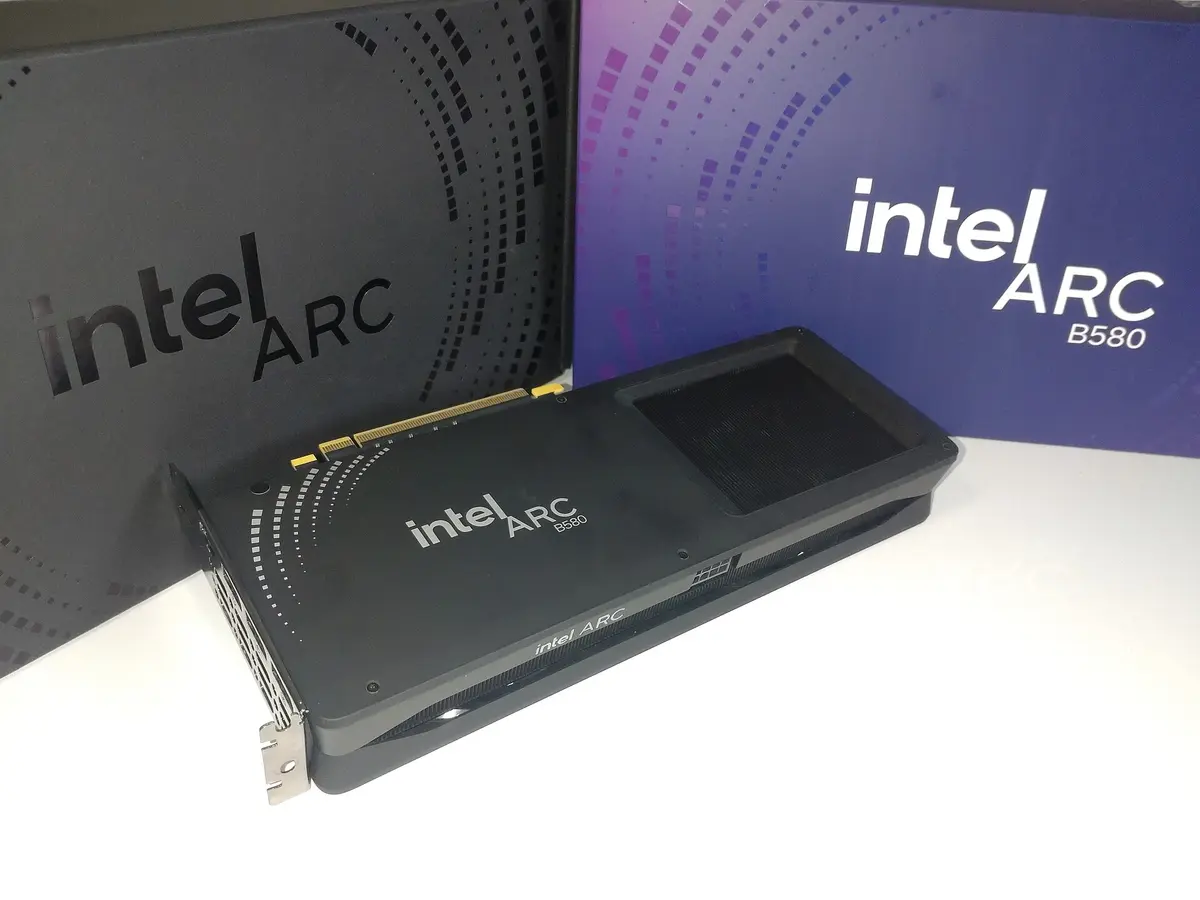
If you’re experienced and comfortable with ROCm, AMD can save money. For everyone else, stick with NVIDIA. Before buying, check our RX 7800 XT AI compatibility guide to see exactly which AI tools work and which require workarounds. The Intel Arc B580 is also worth a look as a budget alternative with 12GB VRAM at $310 and improving inference support through Intel’s oneAPI stack.
How much VRAM do you actually need?
| Task | Minimum VRAM | Recommended |
|---|---|---|
| Stable Diffusion 1.5 | 4GB | 8GB |
| Stable Diffusion XL | 8GB | 12GB |
| 7B LLM (quantized) | 6GB | 8GB |
| 7B LLM (full) | 14GB | 16GB |
| 13B LLM (quantized) | 10GB | 12GB |
| Fine-tuning (LoRA) | 8GB | 16GB |
The LLM rows are not guesswork — Ollama publishes the size of every build it ships. Llama 3.1 8B at Q4_K_M is 4.9GB, which is why 6GB is the floor for a quantized 7-8B model and 8GB is where context stops being cramped. The same model at fp16 is 16GB, which is why the full-precision row needs a 16GB card rather than the 14GB that parameter-count arithmetic suggests. For scale, 70B at Q4 is 43GB — past every card on this page, and the reason a budget build tops out around 13B.
What to avoid
- GPUs with less than 8GB VRAM — too limiting for most AI tasks
- Older generation cards (GTX 10/16 series) — missing key AI acceleration features
- Overpriced “AI” branded cards — consumer GPUs do the same job
Which GPU should YOU buy?
- Absolute minimum budget? The used RTX 3060 12GB (~$250) is the cheapest way into real AI work with enough VRAM.
- Best value for money? The RTX 4060 Ti 16GB (~$425) gives you 16GB VRAM at a price that is hard to beat.
- Budget stretches to $500? The RTX 4070 (~$500) offers 12GB VRAM with faster compute than the 4060 Ti.
- Wondering if a base RTX 4060 is enough? See can the RTX 4060 run AI? for a detailed look at what the 8GB card can handle.
- Don’t want to buy hardware at all? Cloud GPUs let you try any model without upfront cost.
Common mistakes to avoid
- Buying too little VRAM to save $75 — the 8GB 4060 Ti is ~$350 against ~$425 for the 16GB version, and that saving will limit you far more than a slower card with more memory would
- Choosing an AMD GPU as your first AI card without understanding the ROCm ecosystem — our ROCm vs CUDA for AI guide explains the practical gaps before you commit to the AMD path
- Overpaying for a flagship GPU when your workloads only need inference on small models
- Overlooking the RTX 5060 Ti as a budget Blackwell option — our RTX 5060 Ti AI capability breakdown shows it can handle more than you might expect at the price
Final verdict
NVIDIA GeForce RTX 4060 Ti 16GB
16GB GDDR6For most budget AI builders, this is the clear winner. 16GB VRAM handles serious workloads while keeping the cost under $450.
Affiliate links — we may earn a commission at no extra cost to you. Amazon ships globally; Shopee SG covers Singapore & ASEAN.
If you’re just starting out and want to spend as little as possible, look for a used RTX 3060 12GB — it’s the cheapest way into real AI work. For sub-$300 picks specifically, our best GPU for AI under $300 roundup ranks the few cards that still make sense at that price. NVIDIA’s RTX 3060 relaunch means new units are available again at competitive prices, and the 2026 GPU shortage makes budget-friendly options more important than ever. Before buying any used card, check our used GPU buying checklist for AI to avoid common pitfalls.
The best budget GPU for AI is the one that gives you enough VRAM for your workload without overspending on compute you won’t use.