Two GPUs, two generations apart, and a $380 gap. The RTX 5060 Ti brings Blackwell architecture and 16GB GDDR7 at around $630 new. A used RTX 3060 offers Ampere silicon and 12GB GDDR6 for about $250. Calling both of them budget cards is a stretch now — one is a mid-range purchase and the other is a used bargain, and that difference is most of what this comparison is about.
The short answer: the RTX 5060 Ti is the better GPU by every technical measure. The RTX 3060 is the better deal if 12GB covers your workloads.
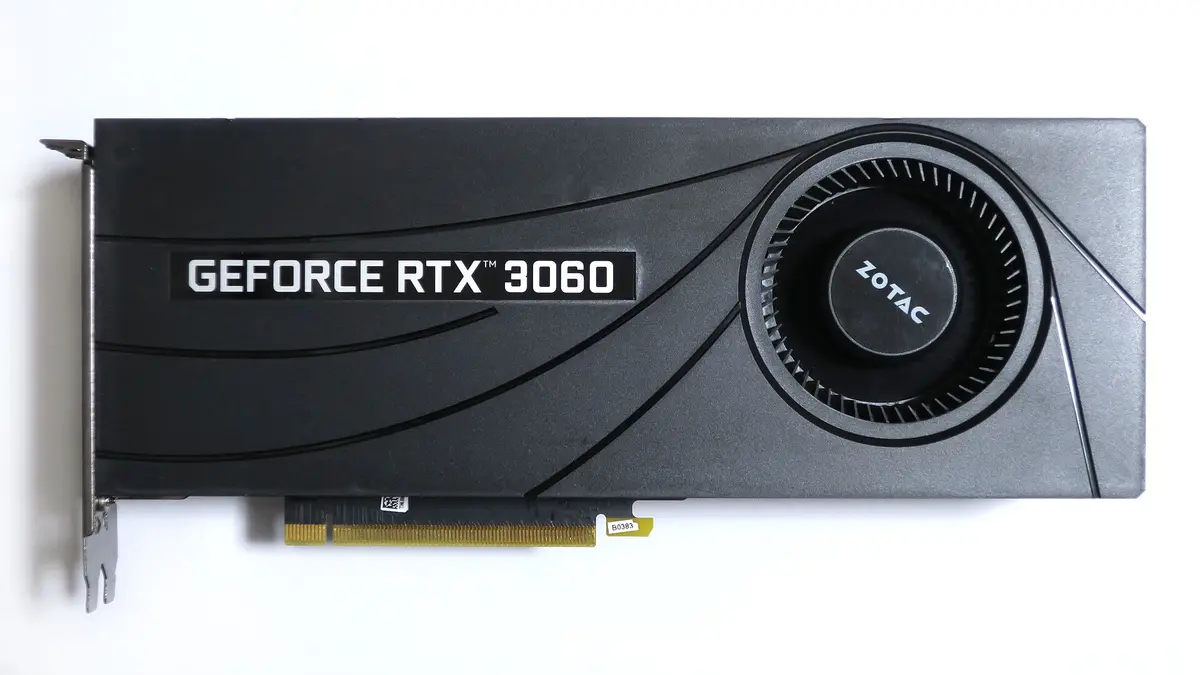
NVIDIA GeForce RTX 3060 12GB
12GB GDDR612GB GDDR6 at $250 — hard to beat for SDXL and 7B LLMs.
Affiliate links — we may earn a commission at no extra cost to you. Amazon ships globally; Shopee SG covers Singapore & ASEAN.
Spec-by-spec comparison
| Spec | RTX 5060 Ti | RTX 3060 12GB |
|---|---|---|
| Architecture | Blackwell | Ampere |
| VRAM | 16GB GDDR7 | 12GB GDDR6 |
| Memory bus | 128-bit | 192-bit |
| Memory bandwidth | 448 GB/s | 360 GB/s |
| TDP | 180W | 170W |
| Tensor cores | FP8, FP4 | FP16, INT8 |
| Price | ~$630 new | ~$250 used |
| Process node | TSMC 4nm | Samsung 8nm |
Bandwidth and board power are NVIDIA’s published figures, from its GeForce graphics card comparison — exact, which is why they carry no tilde. The prices do: the 5060 Ti is a street price and the 3060 is a used-market price, and both move.
The 5060 Ti’s Blackwell tensor cores support FP8 and FP4 precision, which newer AI frameworks exploit for faster inference. The 3060’s Ampere cores top out at FP16 tensor operations. This architectural difference translates to a roughly 2x speed advantage for the 5060 Ti on modern AI workloads.
VRAM: where it actually matters
The 4GB VRAM gap between these cards determines what you can and cannot run:
| Workload | RTX 5060 Ti (16GB) | RTX 3060 (12GB) |
|---|---|---|
| SD 1.5 | Easy | Easy |
| SDXL 1024x1024 | Easy | Comfortable |
| Flux.1 Dev FP8 | Yes (~12-14GB) | No (needs 14GB+) |
| Flux.1 Dev NF4 | Easy | Works (6-8GB) |
| 7B LLM (Q4) | Easy | Easy |
| 13B LLM (Q4) | Comfortable (~10GB) | Tight (~10-11GB) |
| 30B LLM (Q4) | Possible (~15GB) | No |
| SDXL LoRA training | Comfortable | Tight, small batch |
| Flux LoRA training | Possible | No |
The 5060 Ti’s 16GB opens three doors the 3060 cannot enter: Flux at full FP16 precision, 30B parameter LLMs in quantized format, and Flux LoRA training. If any of those matter to you, the $380 premium is justified.
If your workloads stay within SDXL and 7B LLMs, the 3060’s 12GB handles them without issue — and you keep $380.
NVIDIA GeForce RTX 4060 Ti 16GB
16GB GDDR616GB at ~$425 — the same capacity as the 5060 Ti for a third less, giving up GDDR7 bandwidth and the Blackwell tensor cores.
Affiliate links — we may earn a commission at no extra cost to you. Amazon ships globally; Shopee SG covers Singapore & ASEAN.
Performance comparison
Raw speed matters for iteration time — especially in image generation where you produce dozens or hundreds of images per session.
| Benchmark | RTX 5060 Ti | RTX 3060 12GB | Difference |
|---|---|---|---|
| SDXL 1024x1024 (20 steps) | ~8 sec | ~18 sec | 2.2x faster |
| Flux.1 Dev 1024x1024 (20 steps) | ~20 sec | N/A (FP16) | — |
| Flux.1 NF4 1024x1024 | ~15 sec | ~40 sec | 2.7x faster |
| 7B LLM tokens/sec (Q4) | ~35 t/s | ~18 t/s | 1.9x faster |
The 5060 Ti is consistently 2x faster across AI tasks. Blackwell tensor cores, faster GDDR7 memory, and a modern process node all contribute. For users who generate high volumes of images or need responsive LLM chat, the speed difference is tangible.
Power efficiency
| Metric | RTX 5060 Ti | RTX 3060 12GB |
|---|---|---|
| TDP | 180W | 170W |
| SDXL images per kWh | ~450 | ~200 |
| PSU requirement | 600W | 500W |
Nearly identical power draw, but the 5060 Ti produces more than twice the output per watt. Over a year of daily use, the efficiency gap slightly offsets the price premium.
The verdict
If you can afford $630: the RTX 5060 Ti is the better long-term investment. 16GB VRAM future-proofs you for Flux, larger LLMs, and training workloads. The Blackwell architecture will receive driver optimizations for years. Price the RTX 4060 Ti 16GB first, though — it holds the same 16GB for around $425, and capacity is the thing the 3060 cannot match.
If $250 is the hard ceiling: the used RTX 3060 12GB is a perfectly capable AI GPU for SDXL and 7B models. It will not run everything, but what it does run, it runs adequately — and at this price nothing else gives you 12GB.
If you can stretch past $630: a used RTX 3090 runs about $820, and its 24GB outclasses both cards here — it handles every workload listed above without compromise, including the ones the 5060 Ti only just manages. That is $190 over the 5060 Ti for eight more gigabytes.
NVIDIA GeForce RTX 3090
24GB GDDR6X~$820 used for 24GB VRAM — $190 over the 5060 Ti, and it outclasses both cards here for serious AI work.
Affiliate links — we may earn a commission at no extra cost to you. Amazon ships globally; Shopee SG covers Singapore & ASEAN.
Frequently asked questions
Is the RTX 5060 Ti worth $380 more than a used RTX 3060 for AI?
Yes, if you need Flux at full precision, 13B+ LLMs, or faster generation speeds. No, if your workloads stay within SDXL and 7B models.
Can the RTX 3060 run Flux?
Only with NF4/GGUF quantized models. Full FP16 Flux requires 14+ GB of VRAM, which exceeds the 3060’s 12GB.
Which card is better for LLM inference?
The RTX 5060 Ti handles larger models (up to 30B Q4) and runs 7B models nearly 2x faster. The RTX 3060 is limited to 7B-13B range.
For broader budget GPU rankings, see our best GPU for AI under $500 guide. For a comparison with the next step up, read RTX 5060 Ti vs 5070 for AI. The RTX 5060 Ti vs 4060 Ti comparison covers same-price alternatives, and the full best budget GPU for AI rankings put every sub-$500 option in context.